The part other access control vendors don't give you
Most access control stops at the door. NextPass keeps going: live monitoring, attendance, leave, reports and audit. 134 features across 17 areas, all built in-house.
Everything access and attendance need
The software is written in-house, so features follow your real workflows and every change you need is made by the people who built it. The 17 capability areas, compressed into what your team uses every day, are shown on real screens below.
Access control
Turnstiles, barriers and entrances granted by status and weekly time window, provisioned automatically.
Live monitoring
See who is inside right now, with color-coded passages refreshing at every door every few seconds.
Attendance, automatic
The same doors become worked hours and overtime every night, with holidays and leave excluded.
Leave and schedules
Shift templates, leave types with yearly quotas, per-person overrides and a holiday-aware calendar.
Reports and exports
Entry and exit, attendance and work-hours, filtered your way, exported to Excel and PDF.
Roles and audit
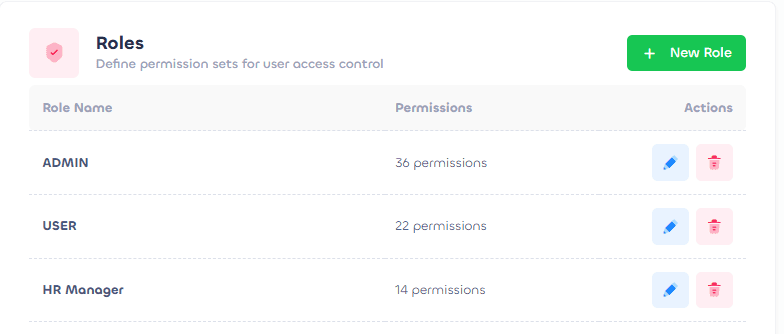
Role-based logins from 40+ permissions, per-user overrides and a full audit trail on every action.
Your whole operation on one screen
Headline totals, who is inside, controller health and what just happened, all in one place. The dashboard is where your team starts the day.
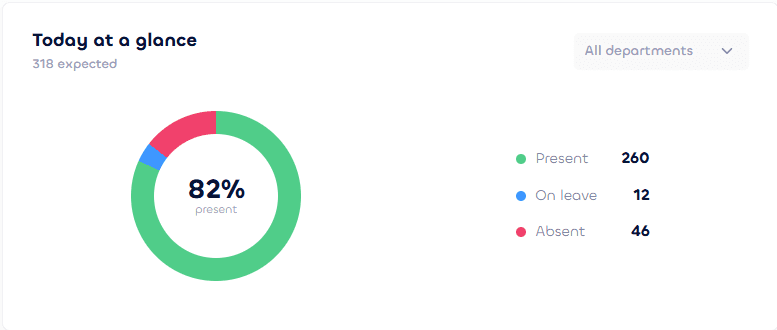
Today at a glance
Present, on leave and absent
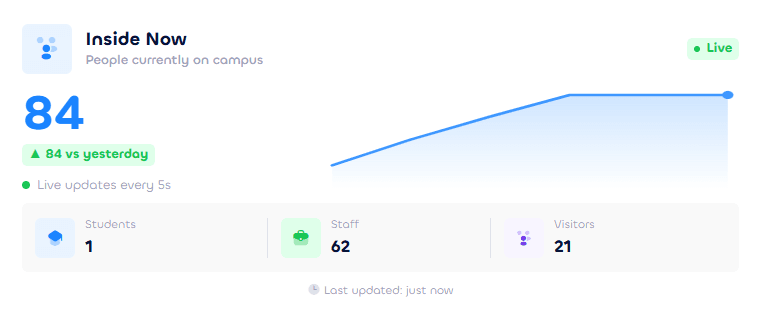
Inside now
Who is on campus, live
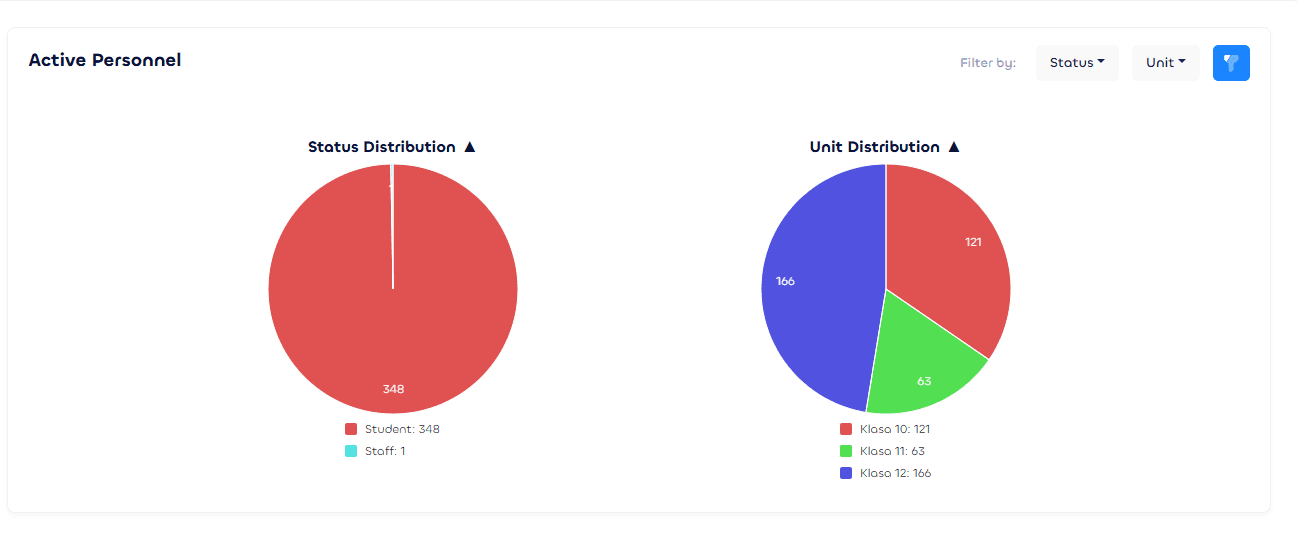
Active personnel
By status and by unit
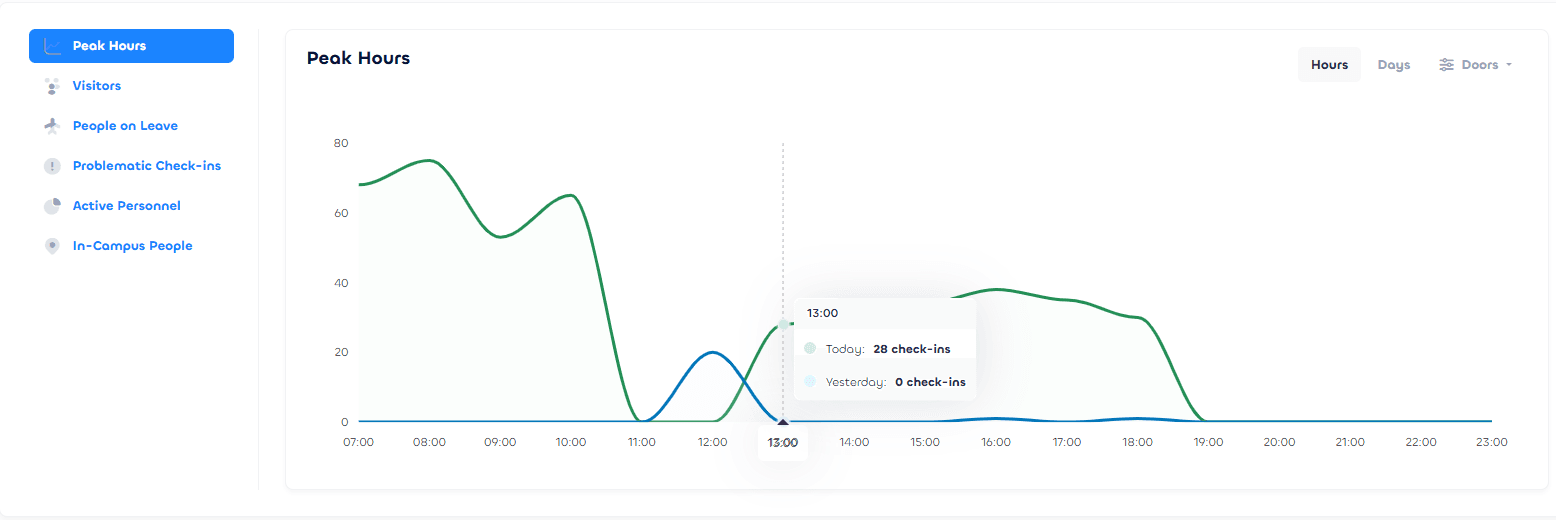
Peak hours
Hourly occupancy trend
Control every door: turnstiles, barriers and entrances
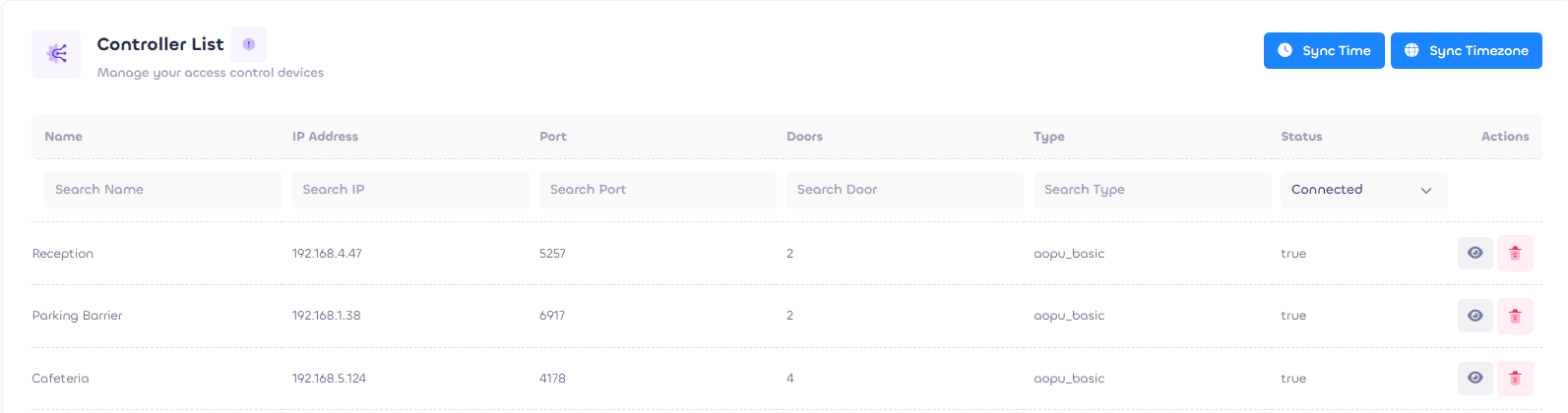
Register your access controllers by name, IP, port, door count and type, and see which are online at a glance. Each door carries a type that drives its icon: turnstile, barrier or entrance, and people are recognized right there by card, fingerprint or car sticker, so a sticker lifts the parking barrier while a card turns the turnstile. Bundle doors into access groups and a person's status grants the right ones on weekly time windows automatically, while a background access control service keeps every controller in sync.
- Door types, with icons. Turnstile, barrier or entrance, each driving its own door icon.
- Card, fingerprint or car sticker. Recognized right at the door, so a sticker lifts the barrier and a card turns the turnstile.
- Access that grants itself. Bundle doors into groups; a person's status grants the right ones on weekly time windows, automatically.
- Online and in sync. Controllers show connected or offline, and the access control service pushes every change to the hardware for you.
See who is inside, right now
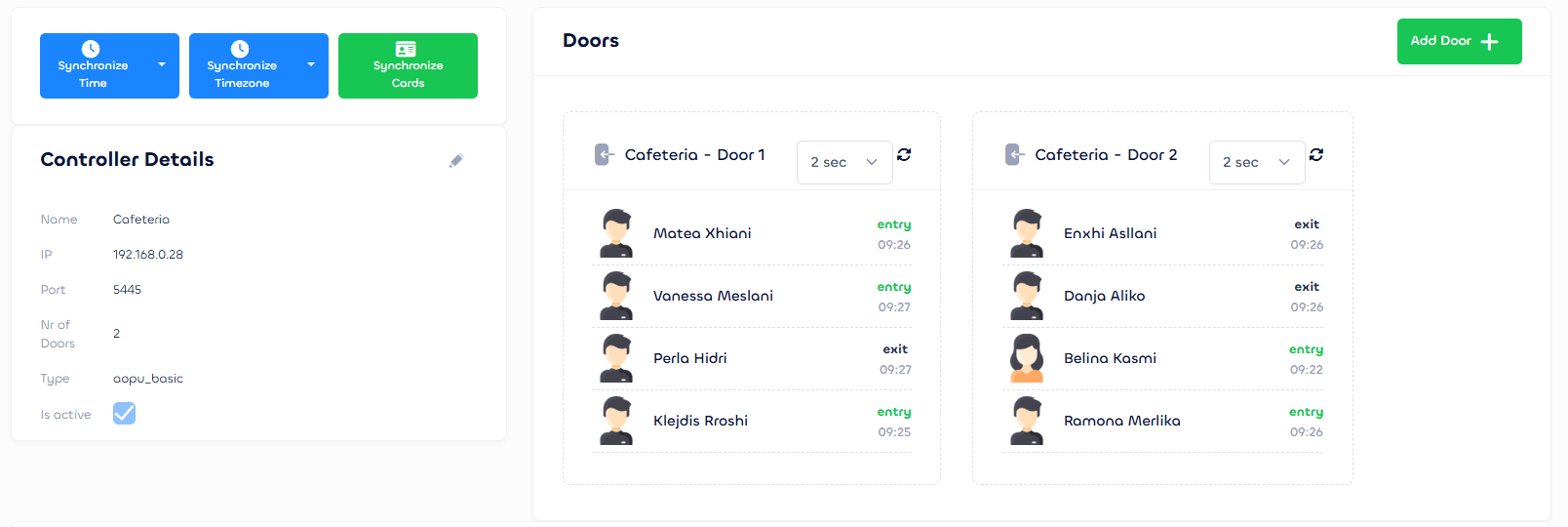
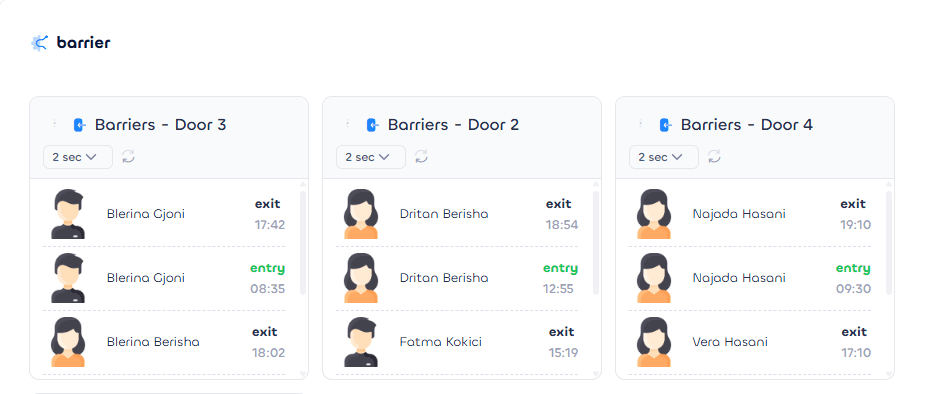
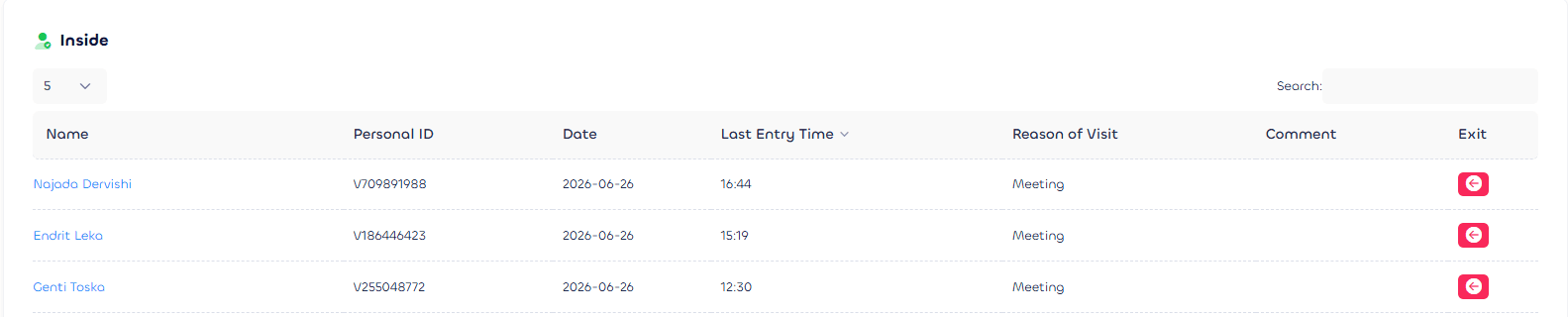
A live door monitor shows recent passages at each turnstile and barrier, refreshing every few seconds and color-coded by type: entry, exit, swipe and alarm, each marked success or denied. Inside-now occupancy splits by staff, students and visitors with an hourly trend through the day. Track visitors separately with their reason for visit and a one-click exit.
- Live door feeds. Recent passages at each turnstile and barrier, refreshing every few seconds.
- Color-coded passages. Entry, exit, swipe and alarm, each marked success or denied.
- Inside-now, broken down. Staff, students and visitors counted live, with an hourly trend.
Entry and exit reporting, filtered your way
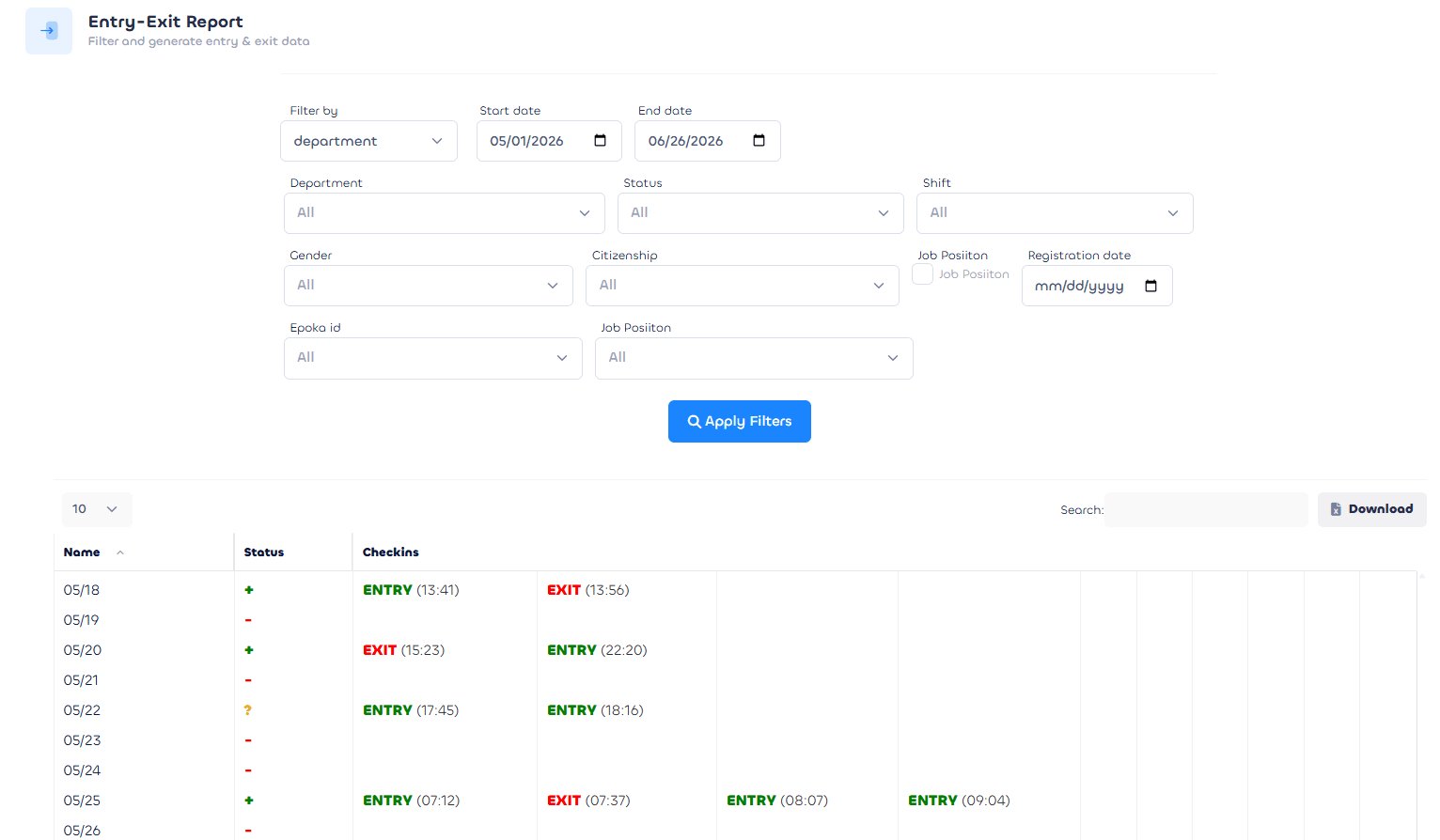
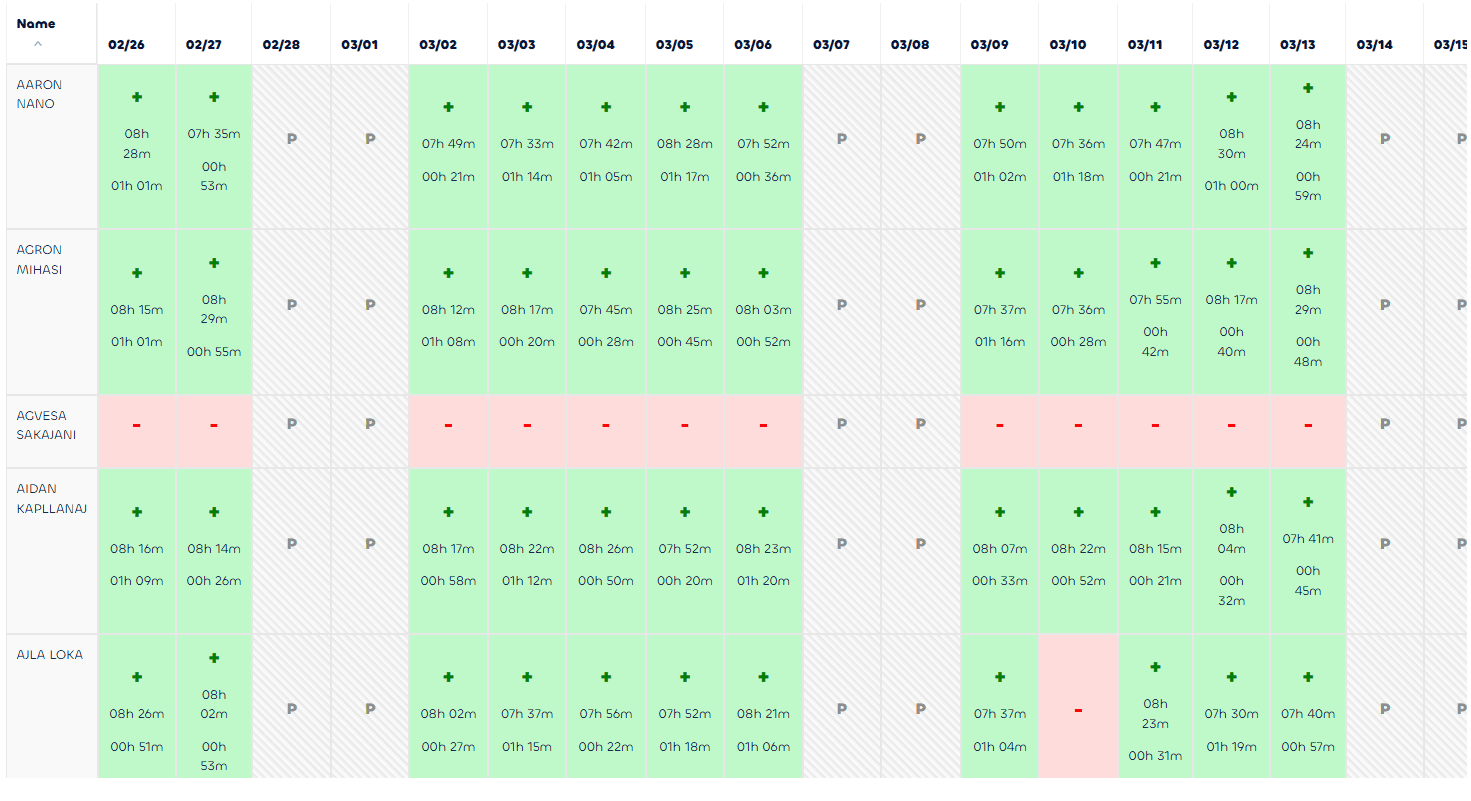
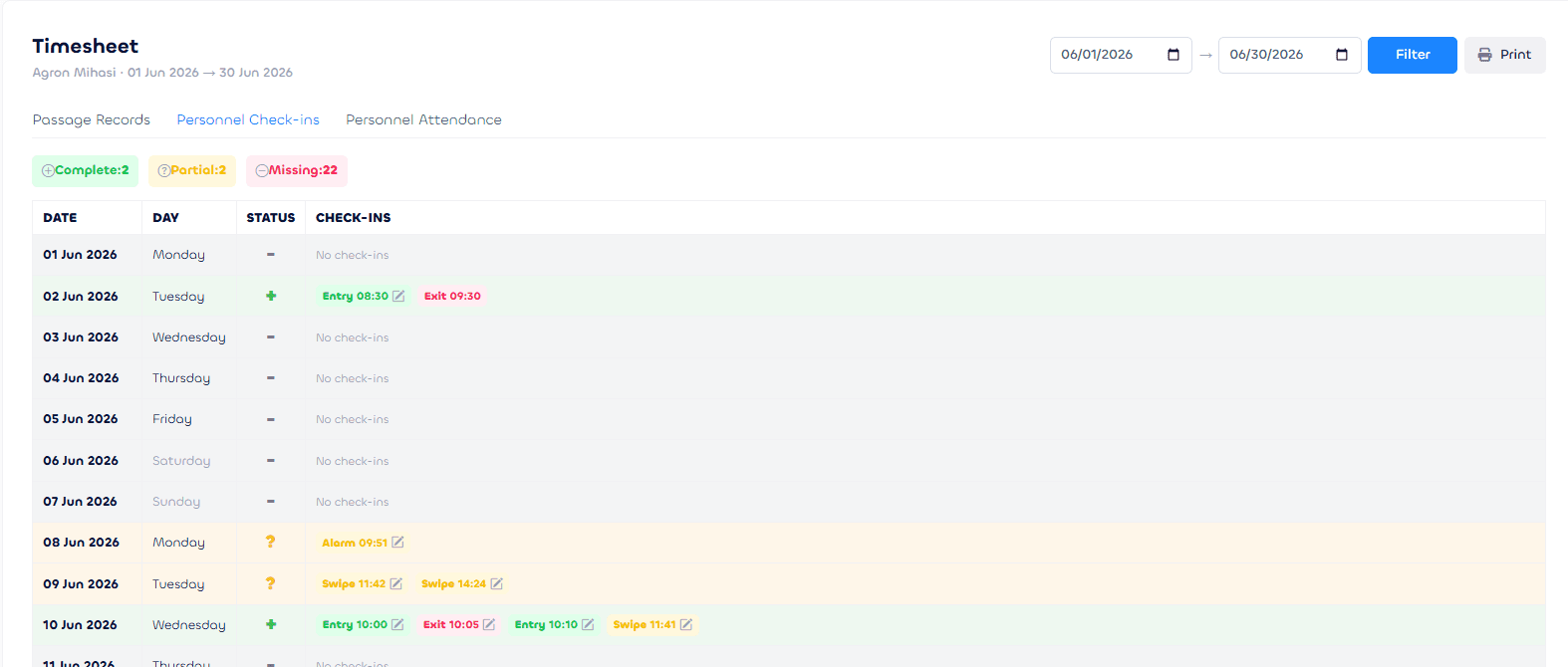
This is the report buyers come for. Every entry and exit, per person and per day, with a complete, partial or absent status on each day so gaps are obvious. Filter by date range, department, status, shift, gender, citizenship, job position and your own custom fields. Run it for one person or a whole department, export to Excel, and send a per-person timesheet to PDF.
- One row per day. Each day marked complete, partial or absent so gaps are obvious.
- Filter every which way. Date, department, status, shift, gender, citizenship, job and custom fields.
- Export ready. One person or a whole department, to Excel, and per-person timesheets to PDF.
Attendance, leave, HR and onboarding, included
The same door data powers everything else. No extra hardware, no extra logins, and nothing new to learn.
Attendance, calculated for you
The same passages become worked hours, overtime and total time on campus every night, with holidays and leave excluded.
Leave and schedules
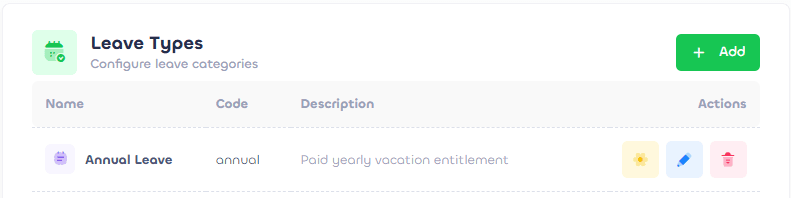
Shift templates, leave types with yearly quotas and per-person overrides, and a holiday calendar with one-click import.
Onboarding
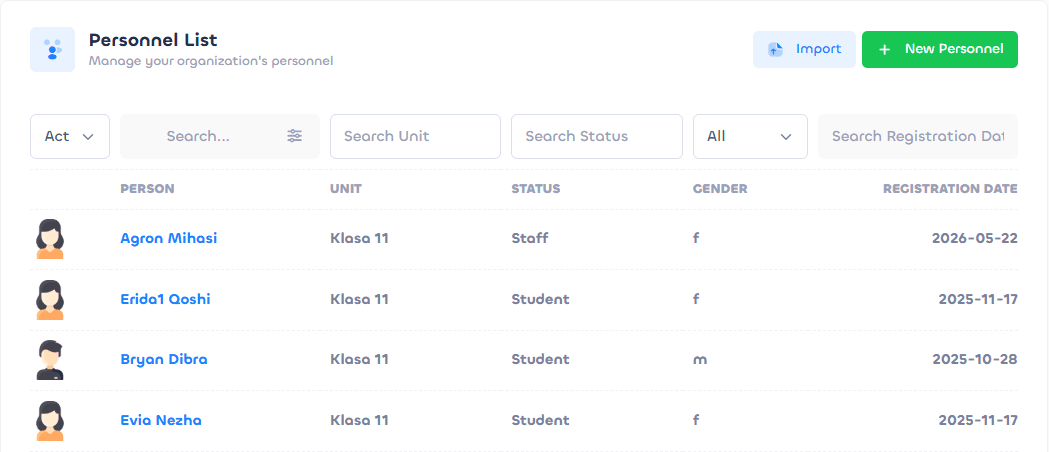
Bulk-import everyone from one Excel or CSV file, then issue cards, fingerprints and car stickers from each profile.
Accountable by design
Role-based logins from 40+ granular permissions, a full audit trail on every action, and your own custom fields.

See the platform on your own doors and people.
Get a software demo, or book a site visit if you want the whole system fitted by one team.
Or write to us directly at info@nextleap.al